
GumloopNo-code visueel platform voor het bouwen van AI-aangedreven bedrijfsautomatiseringen

Overzicht
Belangrijkste functies
- Drag-and-drop workflowbouwer
- Voorgeïntegreerde AI- en gegevensverwerkingsknooppunten
- Integraties met SaaS van derden
- Geplande en trigger-gebaseerde uitvoering
- Teamwerkruimtes en deling
- Herbruikbare subflowcomponenten
Prijs
- Model
- Freemium
- Categorie
- Information Agents
- Beoordeling
- 4.6 / 5 (5)
Toepassingen
Geautomatiseerde Lead Verrijking voor Sales
Verkoopteams kunnen workflows opzetten die nieuwe leads ophalen, deze verrijken met data uit webscraping en derde-partij integraties, en gekwalificeerde prospects doorsturen zonder handmatig onderzoek.
Content Productie Pipelines
Marketingteams combineren LLM-gebaseerde redeneringsknooppunten met gegevensbronnen om content te schetsen, verfijnen en te plannen, waardoor repetitieve stappen in het redactionele werkproces geautomatiseerd worden.
Documentverwerking op Schaal
Operationele teams gebruiken vooraf gebouwde extractie- en AI-knooppunten om facturen, contracten of formulieren op een schema te parsen, waardoor ongestructureerde documenten worden omgezet in gestructureerde data.
Onderzoek en Data Aggregatie
Onderzoeksteams triggeren workflows die websites scrapen, bevindingen samenvatten met AI en rapporten compileren in gedeelde werkruimtes voor samenwerking
Pluspunten & minpunten
Pluspunten
- Visuele builder verlaagt de drempel naar AI-automatisering
- Brede bibliotheek van vooraf gebouwde knooppunten en integraties
- Ondersteunt geplande, trigger-gebaseerde en op aanvraag uitvoeringen
- Herbruikbare subflows bevorderen team samenwerking
Minpunten
- Complexe workflows kunnen moeilijk te onderhouden zijn
- Gebruik-gebaseerde prijsstelling kan oplopen bij schaal
- Minder flexibel dan custom code voor grensgevallen
Recensies
Gemiddelde van 5 beoordelingen.
Log in om een review te schrijven.
Years in this space
I've evaluated a lot of these over the years. What stands out here is scheduled and trigger-based execution — handled better than most — and reusable subflows aid team collaboration. Less flexible than custom code for edge cases is my one real gripe. Worth the time if this is your use case.
Does the job
Pretty happy overall. Team workspaces and sharing just works and supports scheduled, triggered, and on-demand runs. Complex workflows can become hard to maintain can be annoying, but no dealbreakers — I'd recommend it to a friend without hesitating.
Use it every day
Honestly didn't expect to like it this much. Drag-and-drop workflow builder is exactly what I needed, and wide library of prebuilt nodes and integrations. but I reach for it almost every day now and it just clicks.
Use it every day
Honestly didn't expect to like it this much. Third-party SaaS integrations is exactly what I needed, and reusable subflows aid team collaboration. but I reach for it almost every day now and it just clicks.
Compared a few options
Evaluated this against two competitors. Where it wins: third-party SaaS integrations and reusable subflows aid team collaboration. Where it lags: complex workflows can become hard to maintain. On balance the feature set — especially prebuilt AI and data processing nodes — justifies the 5 stars for our use case.
Vragen
Nog geen vragen — wees de eerste om er een te stellen.
Stel een vraag
Alternatieven voor Information Agents

Zotero
Information Agents
Open-source referentiebeheerder voor het verzamelen, organiseren, citeren en delen van onderzoek.
Tavily
Information Agents
Realtime webzoek-API en data-ophaal-API gebouwd voor AI-agents en LLM-workflows

Consensus
Information Agents
AI-gestuurde zoekmachine die antwoorden vindt en syntheseert uit peer-reviewed onderzoek.


AnswerGrid
Information Agents
AI‑onderzoek en enterprise search ontworpen voor consultants en B2B verkoopteams.

AskPandi
Information Agents
AI-gedreven antwoordengine die meerdere bronnen verzamelt voor snelle, betrouwbare antwoorden.

Browse AI
Information Agents
No-code web scraping en monitoring met vooraf gebouwde robots en geplande runs


Zylon AI
Information Agents
Privé, zelfgehoste AI-platform voor ondernemingen die volledige soevereiniteit over hun gegevens behoeven.
ScrapeGraphAI
Information Agents
Maak van elke website een gestructureerde data-API met AI-gedreven scraping.
Trending now


Claude
AI Agents & Chatbots
Conversational AI-assistent van Anthropic voor schrijven, analyse, coderen en documenttaken
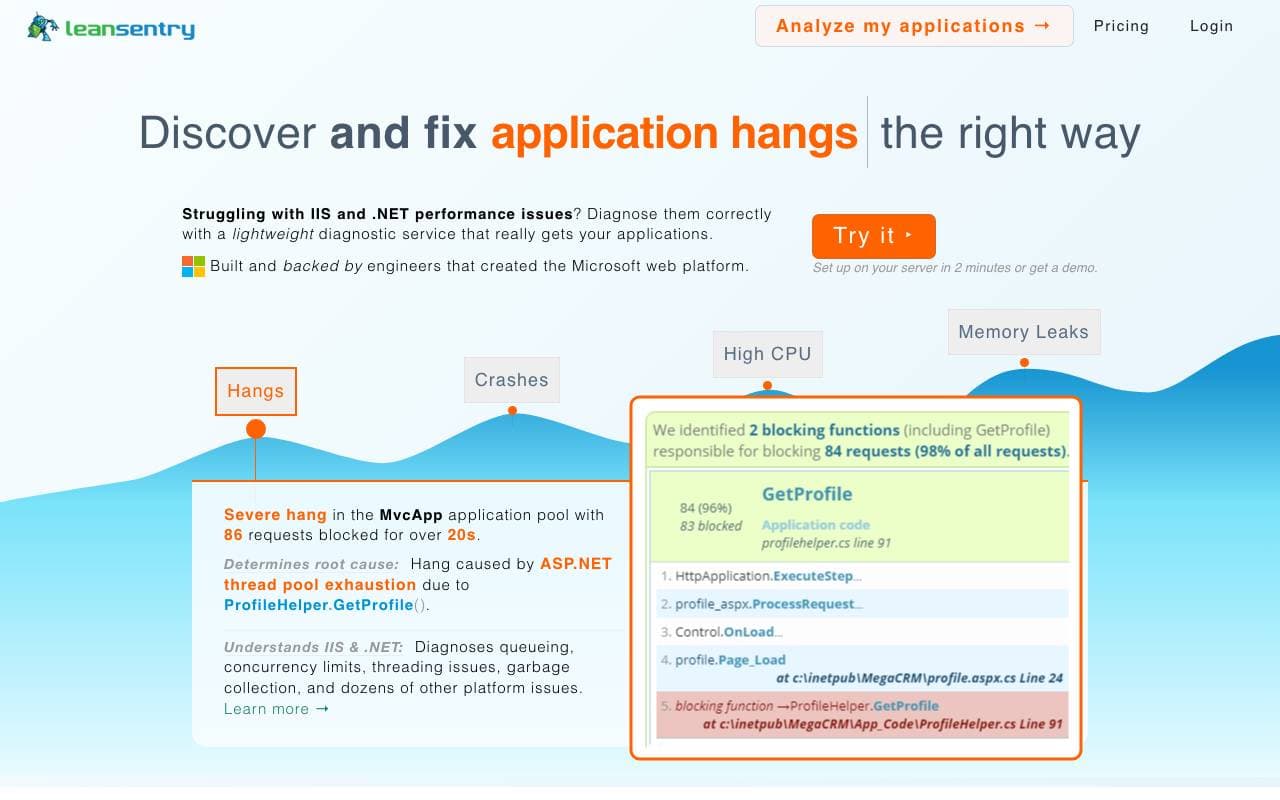

LeanSentry
Software Development
AI-aangedreven diagnostiek en monitoring voor IIS- en ASP.NET-prestatieproblemen

Doozer Ai
Sales Agent
Digitale collega's die operationele workflows automatiseren om de team efficiëntie te vergroten.


Consistent Character AI
Images
Genereer consistente AI‑personages over scènes vanuit één referentiefoto